What is Imgkits
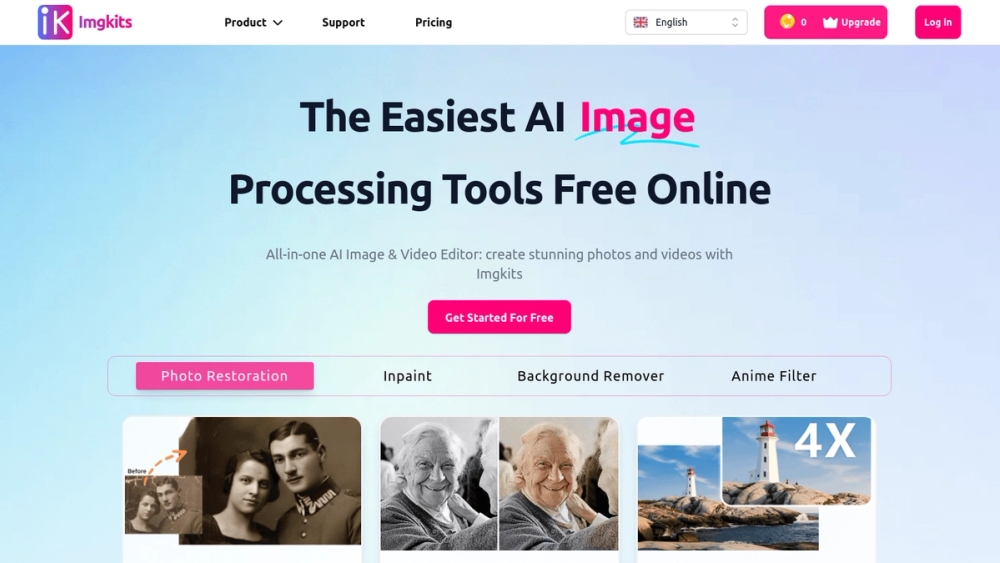
Imgkits is an advanced online platform that offers a suite of AI-powered tools for image and video processing, enabling users to enhance, edit, and transform their visuals effortlessly.
How to use Imgkits
- Visit the Imgkits website and create an account or log in.
- Choose the specific tool you want to use, such as background remover or photo restoration.
- Upload your image or video file that you wish to edit.
- Apply the desired edits and download the final result.
Features of Imgkits
- AI Image Editor: Edit images with advanced AI technology for professional results.
- Background Remover: Automatically remove backgrounds from images with precision.
- Photo Restoration: Revive old or damaged photos using AI-driven restoration techniques.
- Image Upscaler: Enhance image resolution without losing quality.
- Watermark Remover: Effortlessly remove watermarks from images.
- AI Video Tools: Create and edit videos using AI features like text-to-video.
Use Cases of Imgkits
- E-commerce: Enhance product images for online stores by removing backgrounds and improving quality.
- Photography: Restore old family photos or enhance new ones for personal keepsakes.
- Social Media: Create visually appealing content for platforms like Instagram and Facebook.
- Marketing: Generate high-quality visuals for advertisements and promotional materials.
- Education: Use tools for creating engaging educational content and presentations.
FAQ from Imgkits
- How do Imgkits work? Imgkits utilizes advanced AI technology to process images and videos, allowing users to achieve high-quality edits quickly.
- Is Imgkits safe? Yes, Imgkits ensures user privacy by encrypting uploads and deleting images after processing.
- What features can I use after upgrading my membership? Upgrading grants access to all features, including advanced editing tools and priority support.
- Is Imgkits free? Yes, Imgkits offers free trials with limited features, and users can subscribe for full access.
- What file formats can I use? Imgkits supports JPG, JPEG, WEBP, and PNG formats for image editing.