
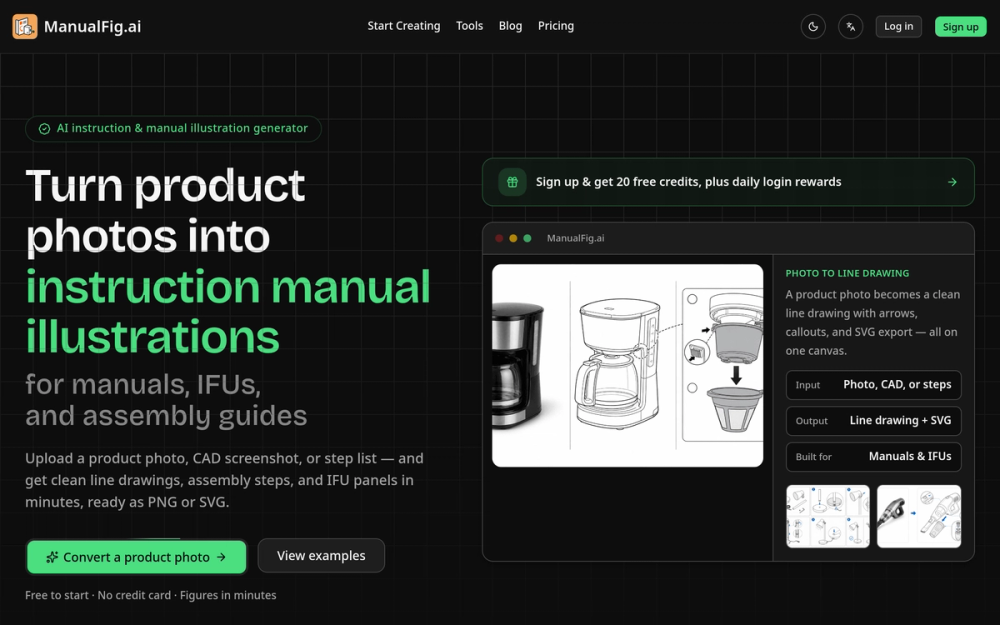
What is ManualFig
ManualFig is an AI-powered tool designed to convert product photos into clean line drawings and assembly instructions. It streamlines the process of creating user manuals, instruction guides, and technical illustrations, making it accessible for anyone without design skills.
How to use ManualFig
- Upload a Photo: Start by uploading a product photo, CAD screenshot, or a step list.
- Describe the Steps: Provide a brief description of the part or action you want to illustrate.
- Generate Illustrations: The AI will automatically create clean line drawings and assembly steps based on your input.
- Export Your Work: Download the generated figures in PNG or SVG format for use in your manuals or guides.
Features of ManualFig
- AI-Powered Generation: Quickly transforms images into line drawings and assembly instructions.
- Multiple Export Formats: Supports PNG and SVG exports for versatile use in documentation.
- User-Friendly Interface: Designed for users without design experience, making it easy to create professional illustrations.
- Version Control: Keep track of different versions of your illustrations for easy updates.
- Daily Credits: Users receive daily credits to generate figures without upfront costs.
Use Cases of ManualFig
- Product Manuals: Create clear and concise manuals for consumer products.
- Assembly Instructions: Generate step-by-step assembly guides for furniture or appliances.
- Medical Device IFUs: Develop instructions for use (IFUs) for medical devices.
- E-commerce Support: Create quick-start guides and packaging inserts to reduce customer support queries.
- Technical Illustrations: Produce illustrations for technical documents and training materials.
FAQ from ManualFig
- Can ManualFig turn product photos into line art?
- Can I create product manual pictures from step lists?
- Is ManualFig only for medical device IFU illustrations?
- Can uploaded images be used as references?
- Does the app support editing an existing result?