LogoDirs.cc
icon of VEO 3 Video Generator

VEO 3 Video Generator

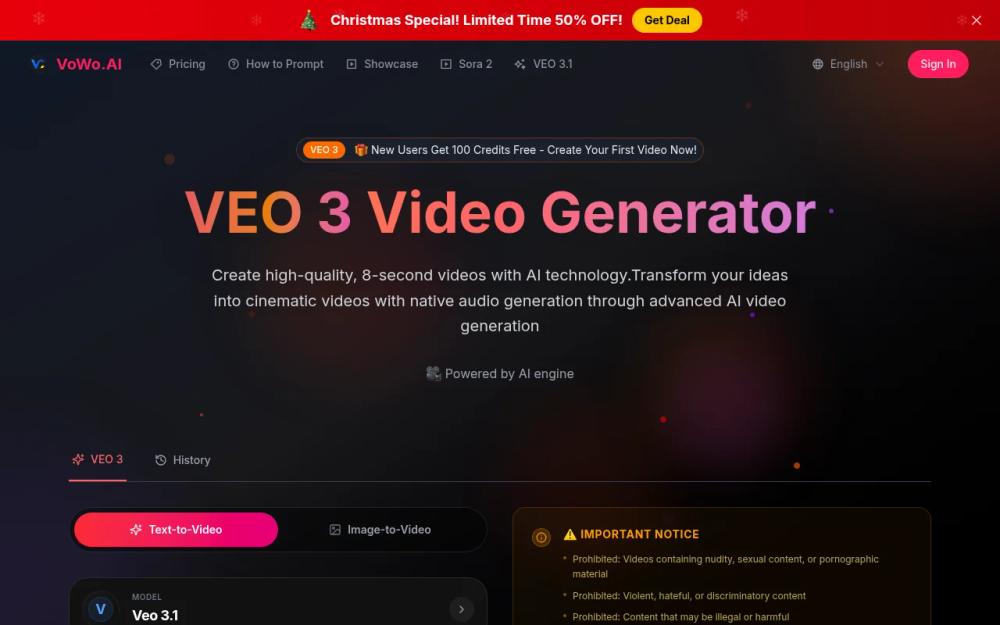
VoWo.AI offers VEO 3, an advanced AI video generator that creates high-quality, cinematic videos with native audio from simple text descriptions.

Introduction

What is VoWo.AI

VoWo.AI is an advanced AI video generator that allows users to create high-quality, 8-second videos from simple text descriptions, integrating native audio for a cinematic experience.
How to use VoWo.AI
  1. Sign up for an account on the VoWo.AI website.
  2. Input your text description in the provided text area.
  3. Choose your desired video settings, such as aspect ratio and generation mode.
  4. Click on the 'Generate Video' button to create your video.
Features of VoWo.AI
  • Native Audio Generation: Automatically integrates sound effects and dialogue into videos.
  • Cinematic Quality: Produces videos with realistic physics and professional lighting.
  • Advanced Prompt Understanding: Interprets complex prompts to create cohesive video clips.
  • Fast and Quality Modes: Offers options for quick generation or high-quality output.
  • User-Friendly Interface: Designed for both beginners and professionals, requiring no technical expertise.
Use Cases of VoWo.AI
  • Marketing: Create promotional videos for products or services.
  • Education: Generate engaging educational content for online courses.
  • Social Media: Produce eye-catching videos for social media platforms.
  • Entertainment: Develop short films or animations for entertainment purposes.
  • Business Presentations: Create professional video presentations for meetings.
FAQ from VoWo.AI
  1. What is VEO 3 and how does it work? VEO 3 Video Generator creates high-quality videos from text descriptions using advanced AI technology.
  2. Do I need technical experience to use VEO 3? No, it is designed for users of all skill levels.
  3. What makes VEO 3 different from other video generators? It features native audio generation and exceptional prompt adherence.
  4. Can I download my creations? Yes, subscribers can download unwatermarked, high-resolution videos.
  5. Is VEO 3 suitable for commercial use? Yes, videos can be used for commercial projects without watermarks.
  6. What audio capabilities does VEO 3 offer? It generates environmental sounds and dialogue synchronized with video content.

Information

  • Websitevowo.ai
  • Published date2025/12/24

Categories

More Products

MusVideo is the AI music to video generator that turns your audio tracks into cinematic music videos. Upload your music and let AI create stunning, scene-by-scene visuals. The fastest way to convert music to video online.

Create printable coloring pages from text prompts or photos with ColoringStore. Generate custom line art in seconds and download high-resolution PNG or PDF files.

Convert raster images into clean, editable SVG files online. Upload PNG, JPG, JPEG, or WebP, preview the vector result for free, then use credits to download SVG output for logos, icons, sketches, illustrations, websites, Figma, Illustration

Newsletter

Join the Community

Subscribe to our newsletter for the latest news and updates